
MSFS2024 Diagnostics Tool! A Simple Way to Find Out What Is Going Wrong

If you use Microsoft Flight Simulator 2024 for any length of time, chances are you will eventually run into a problem. Maybe the simulator suddenly starts crashing. Maybe something that worked perfectly yesterday has stopped working. Perhaps you are getting strange errors, performance problems or you simply want to know more about what is happening with your system. The problem is that trying to work out what is actually going wrong can sometimes be harder than the original problem.
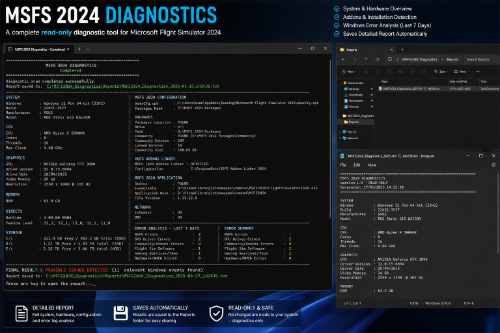
That is where the MSFS2024 Diagnostics Tool comes in. I created the MSFS2024 Diagnostics Tool as a simple troubleshooting utility for Microsoft Flight Simulator 2024. The idea behind it is fairly straightforward: gather some of the important information from your computer and MSFS installation and put it together into a report that is easier to look through.
Why I Created It?
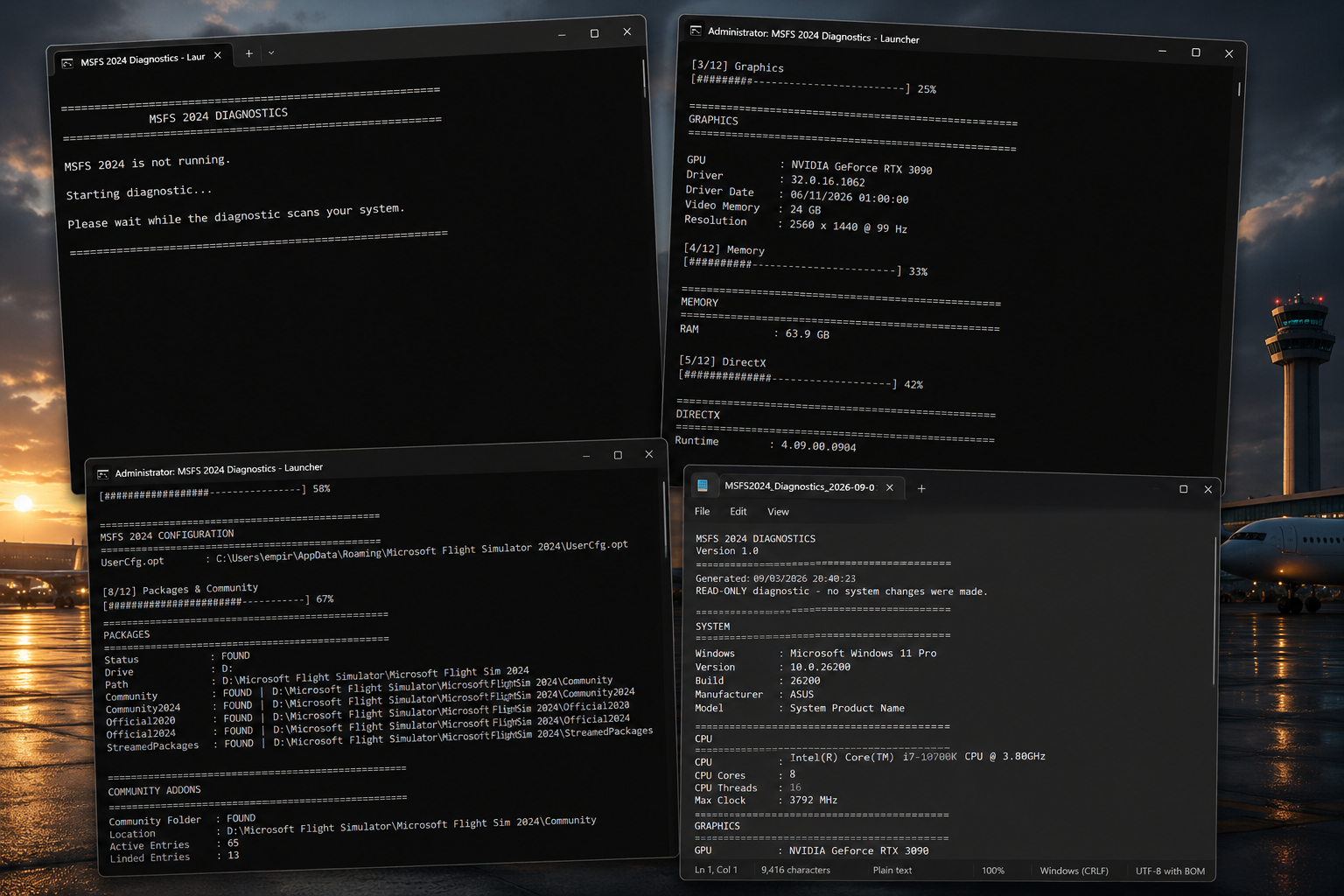
Flight Simulator can be a complicated piece of software. There are the simulator files themselves, your Community folder, hardware drivers, Windows, graphics cards, processors, memory and plenty of other things that can all have an effect on how the simulator behaves. When something goes wrong, it can be difficult to know where to start. Rather than asking someone to manually search through different Windows menus and simulator folders, I wanted to create something that could collect useful information in one place.
The result is a small and simple diagnostic tool that can give you a starting point when trying to investigate an MSFS 2024 problem.
What Does It Actually Do?
The tool collects key information about your system and Microsoft Flight Simulator 2024. It can look at your hardware specifications, check information relating to your MSFS installation and gather recent Windows error information that may be relevant to the simulator. That information is then brought together into a local text report. The important thing here is that the tool is designed to help you investigate a problem. It isn't trying to magically fix every MSFS issue. Instead, it gives you information that can help you understand what is happening and, if you are asking for help from another simmer or a support community, gives you something useful to provide them.
Read-Only By Design
One of the things I wanted to keep simple was how the tool interacts with your system. The MSFS2024 Diagnostics Tool operates in read-only mode. It doesn't make changes to your simulator files or Windows system files. That means its job is simply to collect information and report what it finds. For a diagnostic tool, I think that is important. When you are already trying to solve a problem with your simulator, the last thing you want is another utility changing settings or modifying files without you knowing what it has done.
Who Is It For?
You don't need to be a computer expert to make use of it. If MSFS 2024 is working perfectly, you may never need the tool. But if you are troubleshooting a crash, strange behaviour, performance problem or another issue, it can give you a useful overview of the system running the simulator. It can also be useful when asking other people for help.
Instead of saying "MSFS keeps crashing" and then spending several messages trying to work out what hardware and software you have, you can provide the diagnostic report and give people more information to work with. That doesn't guarantee that the problem will immediately be found, but it can make the troubleshooting process much easier.
Keeping It Simple
There are plenty of complicated diagnostic and monitoring programs available for PCs. I didn't want this to become another huge application with hundreds of settings and options.
The goal was to make something focused on Microsoft Flight Simulator 2024 and troubleshooting. Run the tool, let it collect the information, look through the report and use that information as a starting point. Sometimes simple is better.
Where Can You Get It?
The MSFS2024 Diagnostics Tool is available through Flightsim.to. Download the MSFS2024 Diagnostics Tool on Flightsim.to I've also created a dedicated page on my Empirekicking forum with information about the diagnostic tools and troubleshooting resources. Empirekicking Diagnostics Tool page
Final Thoughts
This isn't supposed to be a complicated piece of software or a magic fix for every MSFS problem. It's a small utility that does one job: collect useful information about your MSFS 2024 setup and put it into a report that you can actually use. I've been involved with flight simulation for a long time, and one thing I've learned is that troubleshooting is often about having the right information. Hopefully this tool makes that part of the process a little easier. If you use MSFS 2024 and run into a problem, give it a try and see what information it can provide. And if you do use it, feedback is always welcome. The whole point of creating tools like this is to make them useful for the flight simulation community.